Skip to content

บริษัท โอติก เน็ตเวิร์ค จำกัด

รับติดตั้งระบบเน็ตเวิร์ค ดูแลระบบคอมพิวเตอร์สำนักงาน

Contact Information

Office : 02-538-4378 Mobile : 095-549-9819
Line id : npintong
Email : otiknetwork@gmail.com
FaceBook : www.facebook.com/AmnuayMT

  • หน้าแรก
  • ดูแลระบบคอมพิวเตอร์
  • ลูกค้าเรา
  • บทความ | วีดีโอ
  • เครื่องมือช่าง
    • วีพีเอ็น
    • PhoneBook
  • ติดต่อเรา
  • นโยบายความเป็นส่วนตัวของข้อมูล (Privacy Policy)
  • นโยบายการใช้คุกกี้ (Cookies Policy)
บริษัท โอติก เน็ตเวิร์ค จำกัด

วัน: 24 พฤศจิกายน 2021

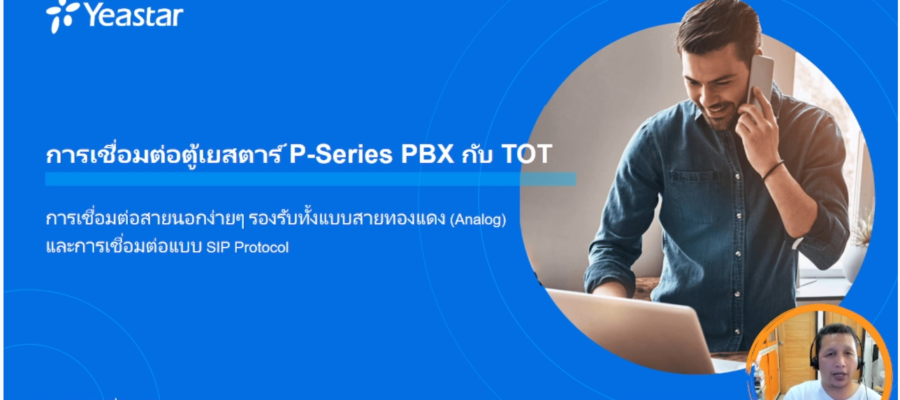
P-Series PBX – การเชื่อมต่อตู้เยสตาร์ P-Series PBX กับ TOT

24/11/2021 อำนวย ปิ่นทอง Linux Distro, VoIP, Yeastar Leave a comment
อ่านเพิ่มเติม

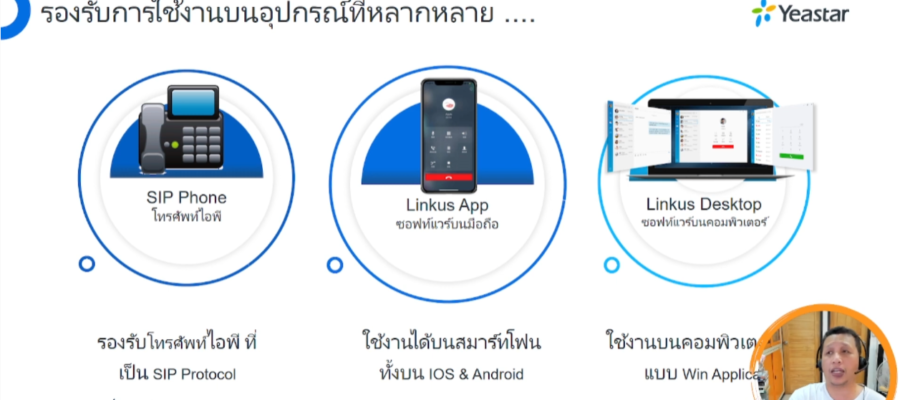
P-Series PBX – หลากคำถามที่ถามมาว่าจะใช้งานเยสตาร์ผ่านอุปกรณ์อะไรได้บ้าง (Endpoint) มาลองดูกันครับ

24/11/2021 อำนวย ปิ่นทอง Linux Distro, VoIP, Yeastar Leave a comment
อ่านเพิ่มเติม

ค้นหา

สนใจ ติดต่อสอบถาม ได้ที่เบอร์

02-538-4378,095-5499-819

ใช้งานง่าย คลิกเรียนรู้การใช้งาน

ติดตั้งง่าย สะดวก และรวดเร็ว

แล้วคุณจะรู้ว่าใช้ระบบไอพี มันดีอย่างไร

ค้นหาบทความจากวันที่โพส

พฤศจิกายน 2021
อา. จ. อ. พ. พฤ. ศ. ส.
« ต.ค.   ม.ค. »
 123456
78910111213
14151617181920
21222324252627
282930  

กลุ่มบทความทั้งหมด

  • AccessPoint (4)
  • Asterisk (19)
  • CRM (9)
  • Database (1)
  • Firewall (14)
  • FreeNAS (4)
  • FreePBX (17)
  • FreeRADIUS (7)
  • IssabelPBX (4)
  • Linux Distro (161)
  • Microsoft (11)
  • MikroTik (103)
  • Monitoring (1)
  • Network Design (1)
  • Network Monitoring (7)
  • RUIJIENETWORK (4)
  • Storage (8)
  • Switch (1)
  • SwOS (2)
  • System (12)
  • VoIP (132)
  • VtigerCRM (1)
  • Yeastar (103)
  • Zabbix (1)
  • ZyCoo (6)

เรื่องล่าสุด

  • Omada – สอนติดตั้ง Omada Controller Software บน Debian 12 ที่หลายๆ คนงงๆ ว่าทำอย่างไร เรามีคำตอบ
  • ซี่รี่เรียนรู้ไมโครติกด้วยตัวเอง ตอนที่ 5 รู้จักกับการทำ NetInstall ลง OS ใหม่ให้กับเร้าท์เตอร์บอร์ด
  • ซี่รี่เรียนรู้ไมโครติกด้วยตัวเอง ตอนที่ 3 เอาไมโครติกเชื่อมต่ออินเตอร์เน็ต (WAN) อย่างไรได้บ้าง?
  • ซี่รี่เรียนรู้ไมโครติกด้วยตัวเอง ตอนที่ 3 เอาไมโครติกเชื่อมต่ออินเตอร์เน็ต (WAN) อย่างไรได้บ้าง?
  • ซี่รี่เรียนรู้ไมโครติกด้วยตัวเอง ตอนที่ 2 เข้าคอนฟิกไมโครติกได้อย่างไร Winbox??

คลังบทความทั้งหมด

  • สิงหาคม 2026 (1)
  • มิถุนายน 2026 (5)
  • พฤษภาคม 2026 (2)
  • กรกฎาคม 2025 (4)
  • มิถุนายน 2025 (1)
  • มีนาคม 2025 (1)
  • กุมภาพันธ์ 2025 (1)
  • มกราคม 2025 (2)
  • พฤศจิกายน 2024 (2)
  • ตุลาคม 2024 (4)
  • กันยายน 2024 (2)
  • สิงหาคม 2024 (1)
  • กรกฎาคม 2024 (2)
  • พฤษภาคม 2024 (1)
  • พฤศจิกายน 2023 (1)
  • ตุลาคม 2023 (2)
  • สิงหาคม 2023 (15)
  • กรกฎาคม 2023 (1)
  • พฤษภาคม 2023 (3)
  • เมษายน 2023 (4)
  • กุมภาพันธ์ 2023 (2)
  • มกราคม 2023 (1)
  • กันยายน 2022 (7)
  • สิงหาคม 2022 (3)
  • กรกฎาคม 2022 (1)
  • มิถุนายน 2022 (3)
  • พฤษภาคม 2022 (1)
  • เมษายน 2022 (1)
  • มีนาคม 2022 (1)
  • กุมภาพันธ์ 2022 (2)
  • มกราคม 2022 (9)
  • พฤศจิกายน 2021 (3)
  • ตุลาคม 2021 (5)
  • กันยายน 2021 (1)
  • สิงหาคม 2021 (17)
  • มิถุนายน 2021 (2)
  • พฤษภาคม 2021 (6)
  • กุมภาพันธ์ 2021 (7)
  • มกราคม 2021 (2)
  • ธันวาคม 2020 (4)
  • ตุลาคม 2020 (2)
  • กันยายน 2020 (1)
  • มิถุนายน 2020 (3)
  • เมษายน 2020 (1)
  • มีนาคม 2020 (1)
  • กุมภาพันธ์ 2020 (2)
  • มกราคม 2020 (2)
  • ธันวาคม 2019 (9)
  • กันยายน 2019 (1)
  • กรกฎาคม 2019 (1)
  • มิถุนายน 2019 (8)
  • พฤษภาคม 2019 (1)
  • เมษายน 2019 (6)
  • มีนาคม 2019 (2)
  • กุมภาพันธ์ 2019 (2)
  • มกราคม 2019 (1)
  • ธันวาคม 2018 (2)
  • พฤศจิกายน 2018 (11)
  • ตุลาคม 2018 (2)
  • กันยายน 2018 (10)
  • สิงหาคม 2018 (8)
  • กรกฎาคม 2018 (2)
  • พฤษภาคม 2018 (3)
  • มีนาคม 2018 (2)
  • กุมภาพันธ์ 2018 (4)
  • ธันวาคม 2017 (7)
  • พฤศจิกายน 2017 (1)
  • กันยายน 2017 (2)
  • กรกฎาคม 2017 (1)
  • มิถุนายน 2017 (5)
  • พฤษภาคม 2017 (4)
  • เมษายน 2017 (4)
  • กุมภาพันธ์ 2017 (4)
  • พฤศจิกายน 2016 (1)
  • กันยายน 2016 (3)
  • สิงหาคม 2016 (4)
  • กรกฎาคม 2016 (18)
  • มิถุนายน 2016 (1)

ความเห็นล่าสุด

  • อำนวย ปิ่นทอง บน yeastar – ตอนที่ 6 รู้จักและใช้งาน LinkUs ซอฟท์แวร์ของเยสตาร์ ง่ายนิดเดียว
  • paweena บน yeastar – ตอนที่ 6 รู้จักและใช้งาน LinkUs ซอฟท์แวร์ของเยสตาร์ ง่ายนิดเดียว
  • ืnoktualek บน การใช้งานโปรแกรม iperf3 เพื่อทดสอบแบนวิด ในระบบเน็ตเวิร์คของท่าน
  • พิทักษ์ พงศ์สุพัฒน์ บน CRM – ตอนที่ 2 การใช้งาน VtigerCRM สำหรับผู้เริ่มต้น ถึงขั้นกลาง คลิปเดียวจบ
  • โรงบ้านนาสารคับ บน การทำแจ้งเตือนด้วย Line Notify บนอุปกรณ์ RouterOS แบบง่ายๆ
OtikNetwork Co.,Ltd. | 02-538-4378, 095-549-9819
Manage Cookie Consent
To provide the best experiences, we use technologies like cookies to store and/or access device information. Consenting to these technologies will allow us to process data such as browsing behavior or unique IDs on this site. Not consenting or withdrawing consent, may adversely affect certain features and functions.
Functional Always active
The technical storage or access is strictly necessary for the legitimate purpose of enabling the use of a specific service explicitly requested by the subscriber or user, or for the sole purpose of carrying out the transmission of a communication over an electronic communications network.
Preferences
The technical storage or access is necessary for the legitimate purpose of storing preferences that are not requested by the subscriber or user.
Statistics
The technical storage or access that is used exclusively for statistical purposes. The technical storage or access that is used exclusively for anonymous statistical purposes. Without a subpoena, voluntary compliance on the part of your Internet Service Provider, or additional records from a third party, information stored or retrieved for this purpose alone cannot usually be used to identify you.
Marketing
The technical storage or access is required to create user profiles to send advertising, or to track the user on a website or across several websites for similar marketing purposes.
Manage options Manage services Manage vendors Read more about these purposes
View preferences
{title} {title} {title}